Advanced Data
We have been putting vertex data, indices and constants into buffers since Hello Triangle, nearly always the same way: fill the memory once, at creation, and never touch it again. This chapter looks at the other ways to get data into a buffer and move it around, and at one more way to arrange vertex attributes. LearnOpenGL's chapter on the subject has no program of its own; ours does, a patch of water whose surface is recomputed on the CPU every frame.
What a buffer is
A buffer is a block of memory the GPU can read, and on its own nothing more. In OpenGL a buffer gets its meaning from the target it is bound to: the same buffer object is vertex data while bound to GL_ARRAY_BUFFER and indices while bound to GL_ELEMENT_ARRAY_BUFFER. Direct3D asks the question up front instead. When we create a buffer we say, in its BindFlags, every way it may ever be bound (D3D11_BIND_VERTEX_BUFFER, D3D11_BIND_INDEX_BUFFER, D3D11_BIND_CONSTANT_BUFFER, and a few more), and binding it any other way later is an error.
We also say, in its Usage, who will write to it and how often. This is the part that matters for this chapter. There are four choices:
| Usage | GPU | CPU | Typical use |
|---|---|---|---|
| D3D11_USAGE_IMMUTABLE | reads | nothing; the data is given at creation | meshes that never change |
| D3D11_USAGE_DEFAULT | reads and writes | occasional updates through | data that changes now and then; render targets |
| D3D11_USAGE_DYNAMIC | reads | writes through | data rewritten every frame |
| D3D11_USAGE_STAGING | nothing; only copies to and from it | reads and writes through | reading GPU results back |
OpenGL's GL_STATIC_DRAW and GL_DYNAMIC_DRAW are hints that a driver is free to ignore. Direct3D's usages are contracts: an immutable buffer cannot be written, a dynamic one cannot be written with
Filling a buffer
So far every vertex buffer has been immutable, filled by passing the data straight to NULL pointer,
OpenGL's next tool is
// write sizeof(data) bytes at byte 24 of a DEFAULT buffer
D3D11_BOX box = { 24, 0, 0, 24 + sizeof(data), 1, 1 };
context->UpdateSubresource(buffer, 0, &box, &data, 0, 0);
Our texture loading,
vcall context, ID3D11DeviceContext_UpdateSubresource, texture, 0, 0, img.pixels, pitch, 0
The 0 after the subresource index is the box: no box means the whole subresource, here mip level 0.
The third way, and the one this chapter's program uses, is to ask for a pointer to the buffer's memory and write into it ourselves. OpenGL calls it
; rcx: buffer, rdx: data, r8: size
;
; WRITE_DISCARD hands back fresh memory each time, so the GPU never waits on the CPU, and a draw
; already recorded keeps the values it saw.
align 16
update_buffer proc buffer:qword, data:qword, data_size:qword
    local mapped:D3D11_MAPPED_SUBRESOURCE
    vcall context, ID3D11DeviceContext_Map, buffer, 0, D3D11_MAP_WRITE_DISCARD, 0, ADDR mapped
    AssertHr
    invoke mem_copy, mapped.pData, data, data_size
    vcall context, ID3D11DeviceContext_Unmap, buffer, 0
    ret
update_buffer endp
The other write mode for buffers, D3D11_MAP_WRITE_NO_OVERWRITE, is a promise in the opposite direction: we will only write parts of the buffer that no pending draw is using, so the driver can give us the existing memory without waiting. Together they make the classic pattern for streaming many small pieces of geometry: append with no-overwrite until the buffer is full, then discard and start again at the beginning.
A buffer rewritten every frame
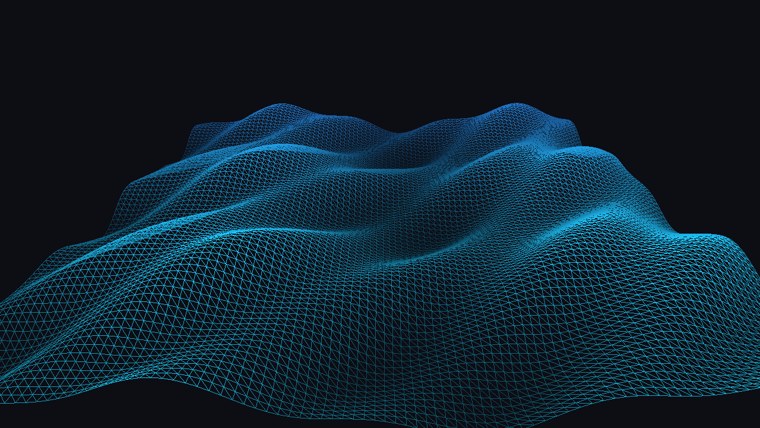
The program draws a square of water 8 units wide, as a grid of 96 by 96 points. The height of each point is a sum of three sine waves running in different directions at different speeds:
\[ h(x, z, t) = 0.25 \sin(1.3x + 1.7t) + 0.15 \sin(2.1z - 1.1t) + 0.08 \sin(3.7(x + z) + 2.3t) \]
In assembly that is a procedure taking its three floats in xmm0, xmm1 and xmm2, and returning the height in xmm0. Every constant is loaded with
; xmm0: x, xmm1: z, xmm2: time -> xmm0: the water's height there, three waves summed
;
;   0.25 sin(1.3 x + 1.7 t) + 0.15 sin(2.1 z - 1.1 t) + 0.08 sin(3.7 (x + z) + 2.3 t)
align 16
wave_height proc
    local x:real4, z:real4, time:real4, sum:real4
    movss x, xmm0
    movss z, xmm1
    movss time, xmm2
    movf xmm1, 1.3
    mulss xmm0, xmm1
    movss xmm1, time
    movf xmm2, 1.7
    mulss xmm1, xmm2
    addss xmm0, xmm1
    call sinf
    movf xmm1, 0.25
    mulss xmm0, xmm1
    movss sum, xmm0
; ...
The arguments are saved in locals first, because xmm register below xmm6. A vertex shader could compute this itself. We do it on the CPU on purpose, as a stand-in for all the cases where vertex data really does come from the CPU every frame: cloth or physics simulations, particles, text, debug lines. The positions therefore go into a dynamic buffer, made with no initial data and with CPU write access:
; Positions: DYNAMIC, so the CPU may write them; nothing to start with.
invoke mem_zero, ADDR desc, sizeof D3D11_BUFFER_DESC
mov desc.ByteWidth, grid * grid * sizeof vec3
mov desc.Usage, D3D11_USAGE_DYNAMIC
mov desc.BindFlags, D3D11_BIND_VERTEX_BUFFER
mov desc.CPUAccessFlags, D3D11_CPU_ACCESS_WRITE
vcall device, ID3D11Device_CreateBuffer, ADDR desc, 0, ADDR position_buffer
It is the same recipe as grid * grid * sizeof vec3 is worked out by the assembler, since grid is a constant (grid equ 96). Every frame, before drawing, we recompute all 9216 positions into an array in our own memory, two nested loops with r12d counting rows and r13d columns, and copy the lot in with the same
; this frame's water: every point's height, then the whole buffer rewritten
mov rsi, positions
xor r12d, r12d                          ; z
heights_rows:
    xor r13d, r13d                      ; x
    heights_columns:
        cvtsi2ss xmm0, r13d
        call grid_coordinate
        movss wx, xmm0
        movss [rsi].vec3.x, xmm0
        cvtsi2ss xmm0, r12d
        call grid_coordinate
        movss [rsi].vec3.z, xmm0
        movaps xmm1, xmm0
        movss xmm0, wx
        movss xmm2, current_frame
        call wave_height
        movss [rsi].vec3.y, xmm0
        add rsi, sizeof vec3
        inc r13d
        cmp r13d, grid
        jb heights_columns
    inc r12d
    cmp r12d, grid
    jb heights_rows
invoke update_buffer, position_buffer, positions, grid * grid * sizeof vec3
Batching vertex attributes
Every vertex buffer so far has been 123123123. Another option is to keep each attribute in a block of its own, all positions, then all normals, then all uvs: 111222333. Data loaded from files often comes this way, one array per attribute, and keeping it so saves interleaving it ourselves.
LearnOpenGL does it by writing the three arrays one after another into a single buffer with
For our water there is a good reason to split them beyond convenience: the positions change every frame, and the colours never do. In one interleaved buffer, the unchanging colours would have to be rewritten every frame along with the positions. In two buffers, we only rewrite what changes. The input layout says which slot each attribute comes from, in the fourth field of each element:
; Positions from slot 0, colours from slot 1.
semantic_position byte "POSITION", 0
semantic_color byte "COLOR", 0
align 8
water_layout D3D11_INPUT_ELEMENT_DESC <offset semantic_position, 0, DXGI_FORMAT_R32G32B32_FLOAT, 0, 0, D3D11_INPUT_PER_VERTEX_DATA, 0>
             D3D11_INPUT_ELEMENT_DESC <offset semantic_color, 0, DXGI_FORMAT_R32G32B32_FLOAT, 1, 0, D3D11_INPUT_PER_VERTEX_DATA, 0>
Both attributes start at byte 0 of their vertex (the fifth field), since each slot holds only one attribute. The colours, a blue that brightens toward the near edge of the water, are computed once and go into an immutable buffer like any mesh:
; colours and indices: immutable
invoke create_buffer, D3D11_BIND_VERTEX_BUFFER, colors, grid * grid * sizeof vec3
mov color_buffer, rax
mov rax, index_count
shl rax, 2
invoke create_buffer, D3D11_BIND_INDEX_BUFFER, indices, rax
mov index_buffer, rax
At draw time, water_buffers[8], is fine, unlike one indexed by a register:
water_buffers qword 2 dup(0)
water_strides dword 12, 12
water_offsets dword 0, 0
mov rax, position_buffer
mov water_buffers[0], rax
mov rax, color_buffer
mov water_buffers[8], rax; positions from slot 0, colours from slot 1
vcall context, ID3D11DeviceContext_IASetPrimitiveTopology, D3D11_PRIMITIVE_TOPOLOGY_TRIANGLELIST
vcall context, ID3D11DeviceContext_IASetVertexBuffers, 0, 2, ADDR water_buffers, ADDR water_strides, ADDR water_offsets
vcall context, ID3D11DeviceContext_IASetIndexBuffer, index_buffer, DXGI_FORMAT_R32_UINT, 0
vcall context, ID3D11DeviceContext_RSSetState, wire_state
vcall context, ID3D11DeviceContext_DrawIndexed, index_count, 0, 0
vcall context, ID3D11DeviceContext_RSSetState, raster_stateAn index of 517 fetches position 517 from slot 0 and colour 517 from slot 1. The vertex shader cannot tell that its inputs came from two places; the input layout put them back together:
// POSITION comes from vertex buffer slot 0 and COLOR from slot 1; the
// shader cannot tell, the input layout joins them.
water_vertex vs_main(float3 position : POSITION, float3 color : COLOR)
{
    water_vertex o;
    o.position = mul(projection, mul(view, float4(position, 1.0)));
    // Crests a little brighter, so the motion reads even in wireframe.
    o.color = color * (0.8 + position.y);
    return o;
}
The water is drawn in wireframe, with a rasterizer state like the one in Hello Triangle, because a flat-coloured surface with no lighting would hide the waves; the grid lines show them. For the same reason the vertex shader scales the colour by the height, brighter on the crests and darker in the troughs.
LearnOpenGL's layout, three blocks in one buffer, also works in Direct3D: bind the same buffer to three slots, with offsets of 0, the size of the positions, and the size of the positions plus normals, and give each slot its own stride. Which arrangement is faster depends on the hardware; interleaved data is the usual default, since a vertex shader invocation then finds all its inputs next to each other in memory. Split buffers win when, as here, some attributes change and others do not, or when some passes need only some attributes: a depth-only pass that reads only positions touches only the position buffer.
Copying buffers
Once data is on the GPU, we may want to copy it into another buffer without bringing it back to the CPU. OpenGL's
CopyResource (destination, source) copies a whole resource into another of the same size and type.CopySubresourceRegion copies part of one: for buffers, a D3D11_BOX gives the source byte range, and an x coordinate the destination offset.
// copy 8 floats from the start of vb1 to the start of vb2
D3D11_BOX box = { 0, 0, 0, 8 * sizeof(float), 1, 1 };
context->CopySubresourceRegion(vb2, 0, 0, 0, 0, vb1, 0, &box);
Copies run on the GPU, in order with the draws around them, so a copy issued after a draw sees what that draw left behind. The destination may not be immutable, and the two resources must be compatible: a buffer to a buffer, a texture to a texture of the same format family. Copying into a staging buffer and mapping it for reading is how data computed on the GPU is brought back to the CPU, though the map then has to wait for the GPU to catch up; window.asm's --shot.
With these, buffers become more than places to park meshes. The next chapter puts a constant buffer to work across many shaders at once, and Instancing uses a second vertex slot for data that advances once per object instead of once per vertex.
The full program is here, and its shader here.
Additional resources
- D3D11_USAGE: the four usages and what each allows.
- How to: use dynamic resources:
Map with discard and no-overwrite. - CopySubresourceRegion: copying parts of buffers and textures.
- LearnOpenGL's Advanced Data: the OpenGL version of this chapter.
Exercises
- Change the program to keep positions and colours interleaved in one dynamic buffer, 24 bytes per vertex. What does the input layout become, and how much more data is copied per frame?
- Make the colour buffer D3D11_USAGE_DEFAULT and, when a key is pressed, give the water a new colour with
UpdateSubresource . - Move the wave computation into the vertex shader: send a flat grid once, pass the time in a constant buffer, and compute the height from
position.xandposition.z. The dynamic buffer is then no longer needed at all.