Framebuffers
Every lesson so far has drawn into two images: the back buffer, which holds colours and ends up on screen, and the depth-stencil buffer beside it. OpenGL calls such a set of images a
Creating a framebuffer
In OpenGL, a framebuffer is an object of its own. You create a framebuffer object (FBO), attach textures or renderbuffers to it as colour, depth and stencil attachments, check with
Direct3D has no framebuffer object. We have already met the pieces it uses instead. A texture is plain storage, and how the pipeline may use it is decided by
ID3D11DeviceContext_OMSetRenderTargets(context, 1, backbuffer_rtv&, depth_dsv);So "binding a framebuffer" means passing different views, and "the default framebuffer" means passing the back buffer's. There is nothing to attach and no completeness to check: what a view can be is checked when it is created (asking for a render target view of a texture created without the render target bind flag fails right there), and the combination is checked when it is bound, by the debug layer if it is enabled.
A texture to draw into
The texture we render the scene into needs two of those views: one to draw into it, and one to read it afterwards. The lesson keeps the three objects together:
// A colour texture that can be drawn into (render target view) and then read
// (shader resource view): GL's framebuffer with a texture attachment.
render_target: struct = {
    texture: *ID3D11Texture2D;
    rtv: *ID3D11RenderTargetView;
    srv: *ID3D11ShaderResourceView;
}

create_render_target: proc(device: *ID3D11Device, width: i32, height: i32, format: DXGI_FORMAT, samples: UINT) -> render_target = {
    t: render_target = {};
    desc: D3D11_TEXTURE2D_DESC = {
        .Width = cast(width, UINT),
        .Height = cast(height, UINT),
        .MipLevels = 1,
        .ArraySize = 1,
        .Format = format,
        .SampleDesc = { .Count = samples },
        .BindFlags = D3D11_BIND_RENDER_TARGET | D3D11_BIND_SHADER_RESOURCE,
    };
    ID3D11Device_CreateTexture2D(device, desc&, null, t.texture&);
    ID3D11Device_CreateRenderTargetView(device, cast(t.texture, *ID3D11Resource), null, t.rtv&);
    ID3D11Device_CreateShaderResourceView(device, cast(t.texture, *ID3D11Resource), null, t.srv&);
    return t;
}
This is the texture creation from Textures, with three differences. There is no initial data (the null in samples parameter is for Anti Aliasing; here it is always 1.
The texture is the size of the window, so the viewport we already have covers it exactly. If you render into a target of a different size, set a viewport of that size before drawing into it, or only part of it gets drawn, as with
A depth buffer to go with it
To draw a 3D scene into the texture we also need depth testing there, and so a depth buffer of the same size. OpenGL offers a
// A depth buffer for drawing into a render target of the same size.
create_depth_buffer: proc(device: *ID3D11Device, width: i32, height: i32, samples: UINT) -> *ID3D11DepthStencilView = {
    desc: D3D11_TEXTURE2D_DESC = {
        .Width = cast(width, UINT),
        .Height = cast(height, UINT),
        .MipLevels = 1,
        .ArraySize = 1,
        .Format = DXGI_FORMAT.DXGI_FORMAT_D24_UNORM_S8_UINT,
        .SampleDesc = { .Count = samples },
        .BindFlags = D3D11_BIND_DEPTH_STENCIL,
    };
    texture: *ID3D11Texture2D = null;
    dsv: *ID3D11DepthStencilView = null;
    ID3D11Device_CreateTexture2D(device, desc&, null, texture&);
    ID3D11Device_CreateDepthStencilView(device, cast(texture, *ID3D11Resource), null, dsv&);
    return dsv;
}
A depth buffer that we do want to sample later, as shadow mapping will, is made a little differently: with a
At startup the lesson creates its off-screen colour target and depth buffer, and a sampler for reading the colour target:
scene_target: render_target = create_render_target(device, scr_width, scr_height, DXGI_FORMAT.DXGI_FORMAT_R8G8B8A8_UNORM, 1);
scene_depth: *ID3D11DepthStencilView = create_depth_buffer(device, scr_width, scr_height, 1);
clamp_desc: D3D11_SAMPLER_DESC = sampler_desc;
clamp_desc.Filter = D3D11_FILTER.D3D11_FILTER_MIN_MAG_MIP_LINEAR;
clamp_desc.AddressU = D3D11_TEXTURE_ADDRESS_MODE.D3D11_TEXTURE_ADDRESS_CLAMP;
clamp_desc.AddressV = D3D11_TEXTURE_ADDRESS_MODE.D3D11_TEXTURE_ADDRESS_CLAMP;
clamp_sampler: *ID3D11SamplerState = null;
ID3D11Device_CreateSamplerState(device, clamp_desc&, clamp_sampler&);
Clamping matters for the effects later on, which read neighbouring pixels: at the edge of the screen, the neighbour should be the edge pixel itself, not a pixel from the opposite edge.
Rendering to a texture
Each frame now has two passes:
- Bind the texture's render target view and the new depth buffer, and draw the scene exactly as before.
- Bind the back buffer again, and draw one shape covering the whole window whose pixel shader samples the texture.
The first pass is the depth testing scene, with a different target:
// 1st pass: the scene, into the texture
unbind_textures(context);
clear_color: [4]f32 = { 0.1, 0.1, 0.1, 1.0 };
ID3D11DeviceContext_OMSetRenderTargets(context, 1, scene_target.rtv&, scene_depth);
ID3D11DeviceContext_RSSetViewports(context, 1, viewport&);
ID3D11DeviceContext_ClearRenderTargetView(context, scene_target.rtv, clear_color[0]&);
ID3D11DeviceContext_ClearDepthStencilView(context, scene_depth, D3D11_CLEAR_DEPTH, 1.0, 0);
...
shader_use(context, s&);
ID3D11DeviceContext_PSSetSamplers(context, 0, 1, sampler&);
bind_texture(context, 0, floor_texture);
draw_vertices(context, transforms_buffer, t&, plane_vb, 6, m4_identity());
Each target has its own contents, so each is cleared on its own: here the colour target and its depth buffer. The new line at the top is
// A texture cannot be read while it is bound as a target, so the slots are
// emptied before drawing into one.
unbind_textures: proc(context: *ID3D11DeviceContext) -> void = {
    views: [8]*ID3D11ShaderResourceView = {};
    ID3D11DeviceContext_PSSetShaderResources(context, 0, 8, views[0]&);
}
At the end of the previous frame, the second pass left the scene texture bound to t0 for reading. Reading and writing the same texture in one draw would be a race, so Direct3D does not allow a texture to be bound as a render target and as a shader resource at the same time. If we tried, the runtime would quietly unbind one of them (and the debug layer would print a warning), which makes for confusing bugs. Clearing the shader resource slots before binding the texture as a target keeps it explicit.
One triangle over the screen
The second pass needs a shape covering the window. LearnOpenGL uses a quad of two triangles with its own vertex buffer. We use a single triangle big enough to contain the whole screen, and we do not need a vertex buffer for it at all:
// One triangle covering the screen, made from SV_VertexID alone: no
// vertex buffer, no input layout. uv runs 0..1 across and down the screen,
// and the parts of the triangle past the edges are clipped away.
struct fullscreen_vertex
{
    float4 position : SV_Position;
    float2 uv : TEXCOORD;
};

fullscreen_vertex vs_main(uint id : SV_VertexID)
{
    fullscreen_vertex o;
    o.uv = float2((id << 1) & 2, id & 2);
    o.position = float4(o.uv * float2(2.0, -2.0) + float2(-1.0, 1.0), 0.0, 1.0);
    return o;
}
SV_VertexID is a system value the input assembler supplies by itself: the index of the vertex being processed, 0, 1, 2 for a draw of three vertices. The bit tricks turn those into the texture coordinates (0, 0), (2, 0) and (0, 2), and the next line maps those to clip space, with y flipped because v runs down while clip-space y runs up. The result is this triangle:
The window, clip-space x and y from -1 to 1, is the top-left square of it, and inside that square uv runs from (0, 0) at the top-left to (1, 1) at the bottom-right: exactly the texture coordinates of the scene texture. The rest of the triangle is outside the screen and is clipped before any pixel of it is shaded. Compared with a quad, the single triangle has no diagonal seam through the middle, where GPUs shade some pixels twice because they work in 2x2 blocks, and it needs no buffer and no input layout. So the post shader is created with an empty layout, and
screen_shader: shader = shader_create(device, filesystem_path("src/4.advanced_d3d11/5.1.framebuffers/framebuffers_screen.hlsl"), {});The second pass binds the back buffer with no depth buffer at all (there is nothing to test against, which is what LearnOpenGL gets by disabling the depth test), binds the scene texture and the clamp sampler, and draws three vertices:
// 2nd pass: the texture, through the post shader, onto the screen
ID3D11DeviceContext_OMSetRenderTargets(context, 1, backbuffer_rtv&, null);
p: post_constants = { .mode = mode };
update_buffer(context, post_buffer, p&, sizeof(post_constants));
shader_use(context, screen_shader&);
bind_constants(context, 1, post_buffer);
bind_texture(context, 0, scene_target.srv);
ID3D11DeviceContext_PSSetSamplers(context, 0, 1, clamp_sampler&);
ID3D11DeviceContext_Draw(context, 3, 0);
The simplest pixel shader would only sample the texture and return the colour, and the window would show exactly what it showed in Depth testing. That is mode 1, which you get by pressing 1:
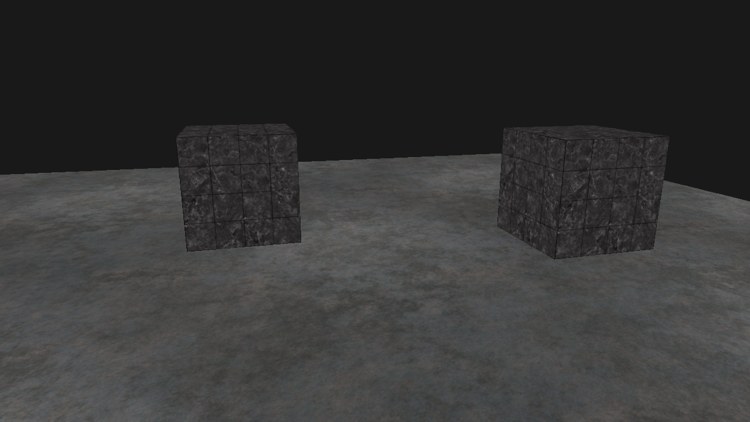
An unexciting picture, but every pixel of it went through a texture first. If yours is black, check that the scene texture is not bound for reading while it is still the render target, and that the second pass really samples t0 with a sampler bound.
Post-processing
Now that the finished frame is a texture, the second pixel shader can do anything with it before it reaches the screen, and whatever it does applies to the whole image at once. Keys 1 to 6 choose an effect; the program starts in mode 6. The mode reaches the shader in a constant buffer:
cbuffer post : register(b1)
{
    int mode;
};

Texture2D scene_color : register(t0);
SamplerState linear_clamp : register(s0);
for (key: i32 = '1'; key <= '6'; key += 1) {
if (key_pressed(key)) { mode = key - '0'; }
}Inversion
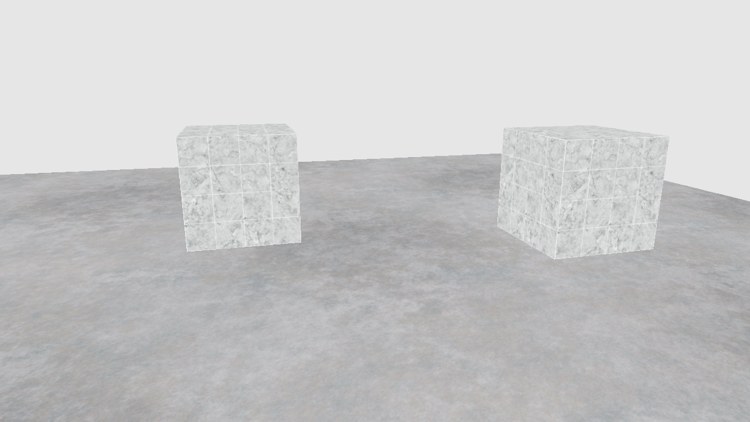
The colour of every pixel is in our hands, so the simplest effect is to turn each one into its opposite:
float3 color = scene_color.Sample(linear_clamp, p.uv).rgb;
if (mode == 2) color = 1.0 - color;
Greyscale
Removing the colour leaves one brightness per pixel. Averaging red, green and blue would work, but our eyes are much more sensitive to green than to red, and least to blue, so a weighted sum looks more natural. These weights are the luminance of the Rec. 709 primaries that sRGB uses:
if (mode == 3) color = dot(color, float3(0.2126, 0.7152, 0.0722));
Assigning the scalar result of float3 copies it into all three channels.
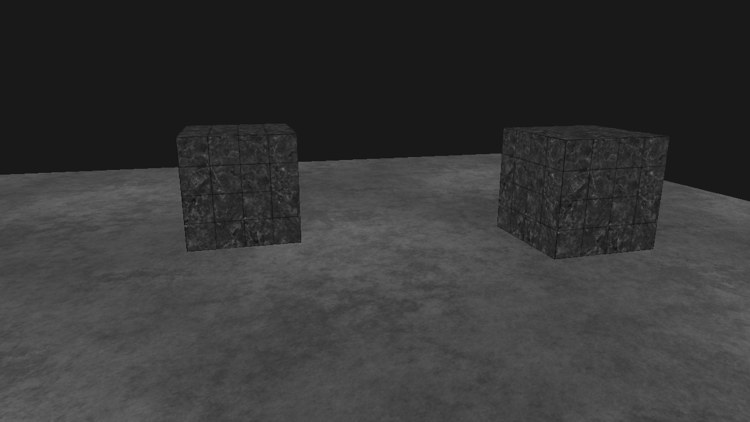
Our scene of grey marble and grey metal has little colour to lose, so the greyscale version (right) is a subtle change; it shows most on the faint brown tint of the floor.
Kernel effects
A single pixel's colour only gets us so far. Because the whole frame is in a texture, a pixel can also read its neighbours. A
takes twice each of the eight surrounding pixels and subtracts fifteen times the centre one. Most kernels' weights add up to 1, so that a flat area keeps its brightness; if they add up to more or less, the image gets brighter or darker. This one adds up to 1.
All our kernels are 3 by 3, so one HLSL function serves for all of them:
// Weighted sum of the 3x3 pixels around uv.
float3 kernel3x3(float2 uv, float k[9])
{
    float w, h;
    scene_color.GetDimensions(w, h);
    float2 texel = 1.0 / float2(w, h);
    float3 sum = 0.0;
    for (int y = -1; y <= 1; y++)
    {
        for (int x = -1; x <= 1; x++)
        {
            sum += k[(y + 1) * 3 + (x + 1)] * scene_color.Sample(linear_clamp, uv + float2(x, y) * texel).rgb;
        }
    }
    return sum;
}
texel is exactly one pixel. (LearnOpenGL uses a fixed offset of 1/300 instead, which is a few pixels wide at typical window sizes and makes its effects coarser.) Since uv is at a pixel's centre, every sample lands on a pixel's centre too, and the linear filtering returns that pixel unmixed. The weights are listed row by row, top row first: y = -1 is the row above, because v runs down.
A
if (mode == 4)
{
    float k[9] = { -1, -1, -1, -1, 9, -1, -1, -1, -1 };
    color = kernel3x3(p.uv, k);
}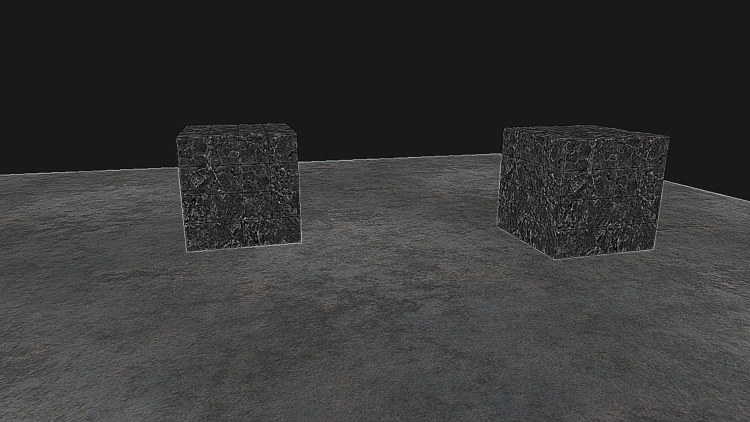
The veins of the marble and the tile edges become crisp to the point of looking etched.
Blur
A
The weights add up to 16, so the sum is divided by 16 to keep the brightness:
if (mode == 5)
{
    float k[9] = { 1, 2, 1, 2, 4, 2, 1, 2, 1 };
    color = kernel3x3(p.uv, k) / 16.0;
}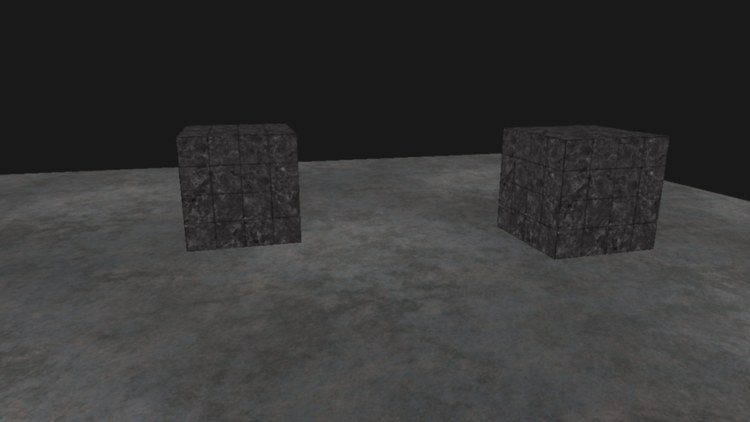
With one-pixel steps the blur is gentle, like a camera slightly out of focus. Varying its strength over time could make a character dizzy; blurring only what is out of focus gives depth of field. Wider blurs are built from repeated or larger kernels, as Bloom will do.
Edge detection
Last, a kernel much like sharpen, but with weights adding up to 0:
\[ \begin{bmatrix} 1 & 1 & 1 \\ 1 & -8 & 1 \\ 1 & 1 & 1 \end{bmatrix} \]if (mode == 6)
{
float k[9] = { 1, 1, 1, 1, -8, 1, 1, 1, 1 };
color = kernel3x3(p.uv, k);
}
return float4(color, 1.0);Where a pixel is the same as its neighbours, the sum is 0, black. Only where the colour changes, at an edge, is anything left:
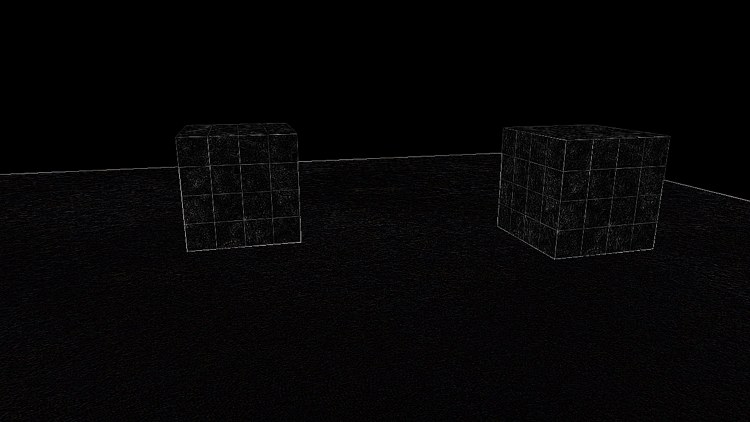
The outlines of the cubes, the grout lines of the marble and the horizon of the floor are drawn in thin bright lines; everything flat is gone. Image editors use exactly such kernels for their filters, and running them on the GPU, one pixel per thread, is what makes them fast enough to apply to every frame of a game. The full program is here, its scene shader here and its post-processing shader here.
Additional resources
- Resource views: Microsoft on render target, depth-stencil and shader resource views.
- Semantics: the system values, including
SV_VertexID. - Image Kernels Explained Visually: an interactive page for trying kernels on an image.
- LearnOpenGL's Framebuffers: the OpenGL version, with framebuffer objects and renderbuffers.
Exercises
- Make a rear-view mirror: render the scene a second time into a smaller render target with the camera turned 180 degrees, then show that texture in a strip at the top of the screen (a second full-screen-triangle draw with a small viewport works).
- Apply the effect to only the left half of the screen, leaving the right half plain, by testing
p.uv.xin the pixel shader. - Invent kernels of your own, or look some up (emboss, Sobel), and add them as mode 7 and up.